
9 Tips for Creating a Good Video with Your Cellphone
Video is a key element to any digital marketing strategy, but the idea of making a video can be intimidating to some. Of course, hiring a professional videographer is always a great way to go when implementing video into your marketing strategy but you may not have the budget for this. Which means most property owners/managers need to start recording and implementing video themselves.
To relieve the uncertainty of video-making, we’ve compiled a few tips to help get you started and guide you through the process. So, before pressing play, consider these tips for creating a good video with your cellphone.
Shoot horizontal
If you want people to be able to watch your video in its full size, keep your phone horizontal when shooting. It might seem tempting to shoot vertical because it appears fine at the time, but your video will render sideways when someone watches elsewhere on their TV or computer.
Keep it steady
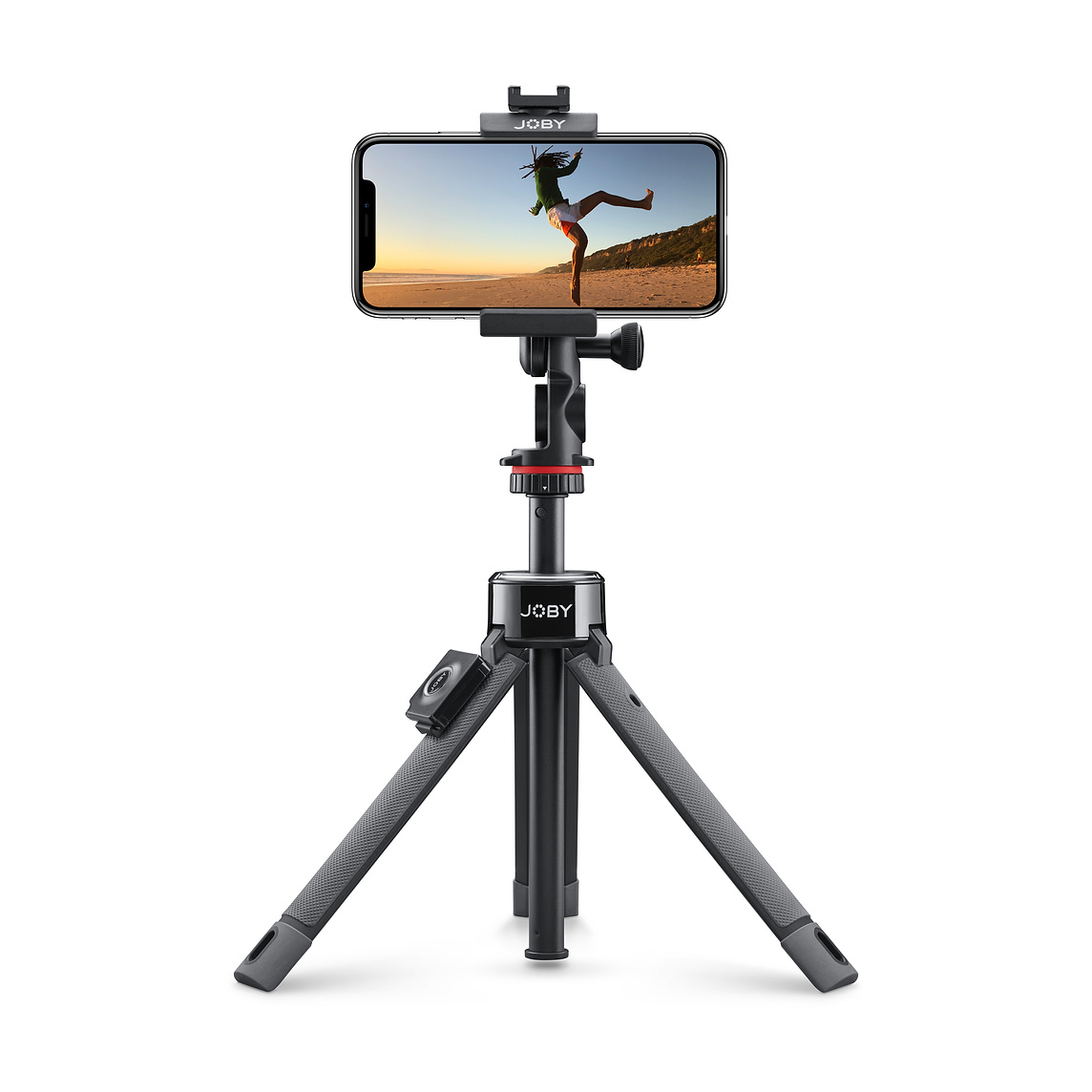
Steadiness is key to creating a quality video people want to watch. If you plan to shoot a hand-held video be sure to use both hands and stabilize yourself as much as you can by locking your elbows into the side of your body. A hand-held video will work well if your phone has optical stabilization, but if yours does not, using a tripod is the way to go. If you have a tripod for your DSLR, purchase a phone tripod adapter. There are many universal adapters that work with most phones and are easy to mount.
Composition
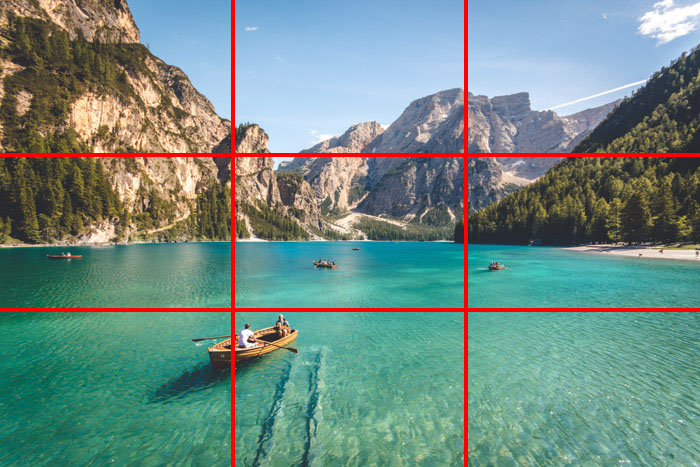
Understanding basic composition is key to making a visually appealing video. A basic composition rule to start with is the rule of thirds. This classic composition rule, also used when taking good photos with your smartphone, is a basic rule-of-thumb most artists, photographers, and videographers use. First, think of your scene divided into thirds, with a 3 x 3 grid. Then compose your shot so that you place the points of interest along the intersections and lines of the grid. To help, most phones will have gridlines available in the camera app itself, which can be used as a guideline.
Good lighting
In general, shooting outside is your best option so you can take advantage of natural light. Try to find a position where the scene is evenly lit by the sun. This will help avoid harsh shadows and washed out colors. Don’t be afraid to move around and play with the angle of the phone to get good lighting.
Avoid digital zoom
Every phone supports digital zoom, but this does not mean you should use it. Zooming in on your subject degrades the quality of the video and is best to get as close as you can to your subject for optimal focus.
Record good audio
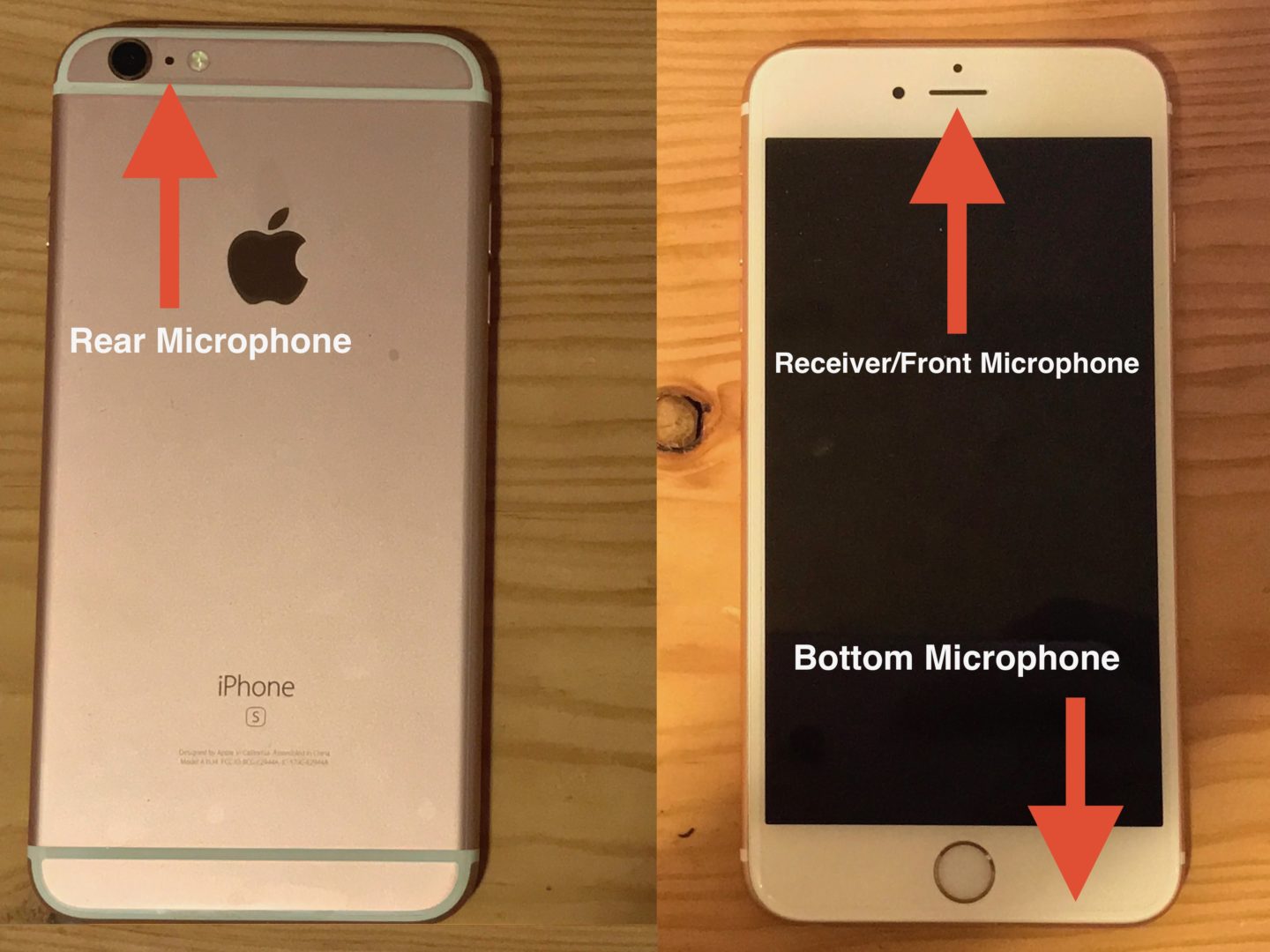
Bad audio can ruin a good video. When it comes to audio, know where your microphone is on your phone and make sure to keep it obstruction-free when recording. If you are recording someone who is speaking, try to avoid any excessive background noise that will overpower their voice. Also, when recording someone try to keep the phone as close to them as possible.
Use a video camera app
While your cellphone already comes bundled with a video camera app, but they tend to be pretty basic. Instead opt-in for a higher-grade app that allows for control over exposure, ISO levels (light sensitivity) and advanced focus settings. Start with a free app like Camera FV-5 or Open Camera to discover the difference in video quality.
Edit your video
It is also good practice to edit your videos after shooting. Thankfully there are a handful of easy-to-use video editing apps for both Android and iPhones. Again, start with the free apps to understand the capabilities and your needs. As you progress throughout the video-making process look into more advanced editing apps with a price tag.
Share your video

Now that you have created your video be sure you share it! Add to your website and your social media channels so that the video is accessible to your guests. Promote your video and incorporate your advertising efforts on Facebook and other marketing channels.
Not sure what kind of video to make? Be sure to check out our blog and video on what types of videos you can create for your property.