
Enhanced Quoting
The Occupancy Map has long had a Single Unit Selection mode and a Group Selection mode:
In Single Unit Selection mode, you had complete control over your quote with the ability to apply discounts, add packages, change the number of guests, apply tax exemptions, and change the rate on individual nights. But Group Selection mode lacked many of these capabilities. With our latest release, this limitation has been eliminated and Group Selection mode is now more powerful than ever.
Group Selection mode now supports the following:
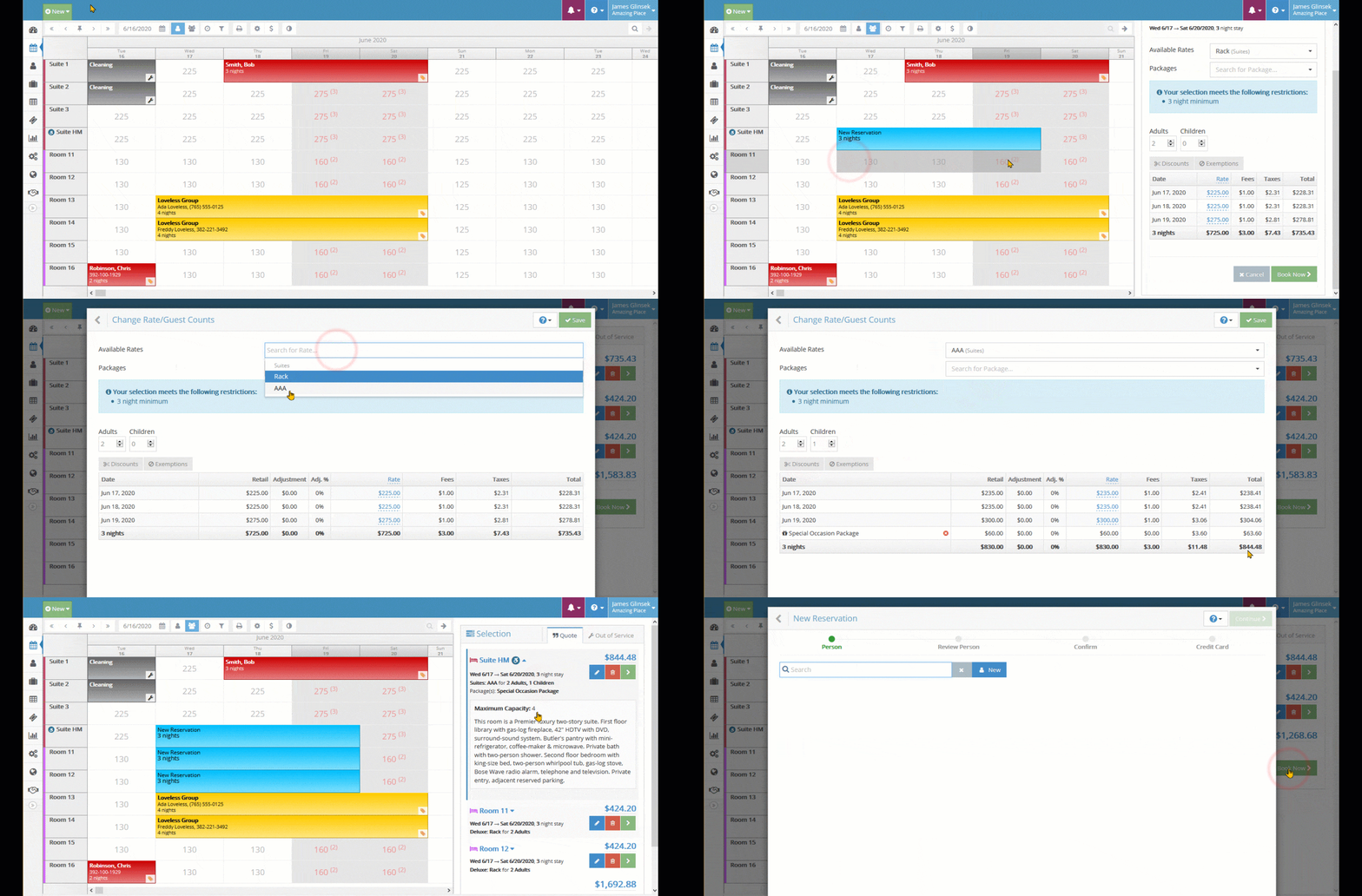
- If you only have one unit selected, you will still see the full quote view as if you were in Single Unit Selection mode with all of those built-in capabilities.
- As soon as you select a 2nd unit, your quote view will switch to the multi-quote list view. However, you can now Edit any or all those quotes just as you would in Single Unit Selection mode. This enables a couple of use cases:
- If you are booking a group, you can now make any changes BEFORE you make the reservation which saves you time later.
- If you are just quoting multiple options for a potential guest, you can use the Group Selection mode to see and compare multiple quotes and view all options for comparison. Any of those quotes can be booked individually or as a group.
- All the new features of Group Selection mode are also supported on the New Reservation Wizard.
Now that Group Selection mode combines all the capabilities of Single Unit Selection and the ability to book individual units OR groups, we think it would be sensible to simply remove Single Unit Selection mode altogether and make Group Selection mode the standard. If you agree, please give us your vote on our UserVoice forum.
As always, we hope you enjoy this latest update, and thanks for using rezStream!